


Ninth Grade - ELA
1: Semester 1

Unit 1: Lord of the Flies
Final Project
Now You Have the Conch
Students are instructed to use a word-processing program to create a traditional outline and to type their essay drafts. The materials provide Internet links (Purdue OWL, Unit Review Sheet) for students to consult during prewriting and revision. Students are told they may use their word processor's comments function to insert comments directly into a typed draft for editing and peer review.
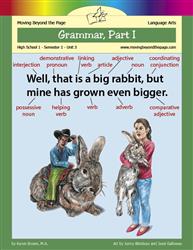
Unit 3: Grammar, Part I
Lesson 2
Subject-Verb Agreement
The lesson explicitly instructs students in Option 2 to use an online quiz creator (https://www.quiz-maker.com/) to create and publish a subject-verb agreement quiz and to have a friend or sibling take it. The lesson also includes web links (Prepositions; Subject-Verb Agreement) that students are directed to use for additional reading and practice. Students are asked to check explanations and gather feedback from test-takers about the quiz explanations.
Lesson 3
Pronoun Problems
The lesson asks students to create a slideshow using PowerPoint, Google Slides, or Prezi and specifies at least four slides (title, explanation, examples, corrections), instructing students to use colors, effects, and arrows to highlight pronouns and antecedents. Activity 2 gives students the option to teach the topic using a short slideshow presentation and encourages using online sources for research. The lesson provides web links for further review that students can visit as part of their work.
Lesson 4
Commas
Students are asked to create a comma guide using a poster, booklet, or slideshow presentation and to use colors or graphic aids, which allows for digital creation. The lesson provides Internet resources (Purdue OWL, Towson, a YouTube video) and directs students to use those webpages and online exercises to find explanations and examples. Students are instructed to consult and copy helpful tips from online pages and to complete web-based practice exercises.
Final Project
Wrapping Up
The mini-project Option 1 explicitly allows students to create a graphic using digital tools (Creately, Google Drawings, Canva, or PowerPoint), so students may use the Internet and design software to produce a product. The Activities include web links (Unit Review Sheet and Online Resources) that students are directed to use for review and for finding tools/resources. The Parent Plan Skills section explicitly lists using technology, including the Internet, to produce, publish, and update individual or shared writing products as an intended skill.

Unit 4: Poetry
Lesson 10
Poems and Poets
Students are instructed to prepare a one-page biographical sketch using presentation software (such as PowerPoint or Prezi) or other digital tools (Day 3 Activity 3). The lesson provides multiple Internet resources and web links (Poetry Foundation, Poets.org, MyLifeElsewhere, poem URLs, and a YouTube reading) that students are directed to use for research and to include images or other content in their presentations. Students are asked to research online for poet biography boxes and to take notes using the provided web links for homework.
Final Project
Poetry
Students are asked to create digital products in several choices: Choice 5 requires students to present a poetry explication digitally using PowerPoint, Prezi, or Google Slides and to copy/paste and highlight poem text; Choice 3 asks students to display an ekphrastic poem and its artwork via a slideshow presentation or webpage; Choice 2 allows students to create an animation or video using online storyboard/animation tools. The director's notebook (Choice 1) explicitly permits creating a digital version and provides resource links; multiple web links and a resource list are provided for online tools.
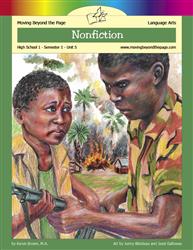
Unit 5: Nonfiction
Lesson 3
The Taliban
Students are asked in Option 2 to create one or more slides in a slideshow presentation using PowerPoint or an online tool such as Prezi. Students are instructed to use images from the Internet (noting the source under each image), to consult the provided webpage and other Internet sources, and to share their slideshow with family members. The Parent Plan reiterates that students will create slides using visual aids and text and may use online presentation tools.
Lesson 4
Dear Diary
Students are directed to watch an online video ('How to Paraphrase in 5 Easy Steps' on YouTube) and to read BBC diary excerpts via a provided web link, so they use the Internet to access instructional media and source texts. The activity page asks students to analyze and create paraphrases of online-originating quotations, which involves working with material found on the web.
Lesson 5
Displacement
Students are directed to use Internet sources (two provided web links) to view pictures and an article about schools and transportation. Students are instructed to save or copy individual pictures to their computer, open and resize images, and print them for use in a photo report or mini-book. Students are prompted to conduct online research using search terms like "education + [country name]" to gather information about school conditions and statistics.
Lesson 8
Civil Rights
Students are directed to multiple web links and online texts (e.g., PBS Freedom Riders videos, the online text of "Letter from Birmingham Jail", and author pages) and are asked to watch and read those resources. The homework options allow students to create a graphic response using digital design tools or to assemble a collage from photographs found online. Students are also asked to write responses in a journal and to produce a found poem by selecting phrases from an article (which can come from online sources).
Lesson 10
Learning from the Past
Students are directed to read Wiesel's speech and watch related videos via provided web links (YouTube and Nobel Prize website), showing use of the Internet as a resource. Students are given the option to create a model museum wall using design apps or tools, which allows them to produce a visual product with technology. The lesson also suggests printing the speech or annotating it and provides online source links for research and background.
Lesson 15
A New Life
Students are offered two technology-based product options: they may create a web page (Option 2) using online website-creation tools and use information and images from the organizations' websites. Students may create a flyer (Option 1) using an online tool such as Canva or applications like Adobe Illustrator. The Skills list explicitly names use of technology and the Internet to produce and publish writing products, and the lesson provides web links and a resource list for webpage creation.
Final Project
Expository Essay
Students are directed to find and use credible online sources (look for .edu/.gov sites, trusted newspapers, avoid Wikipedia) and to use search engines and keywords to gather information. The lesson provides web links (a video on developing research questions and UNC's online citation builder) and instructs students to type, save, and submit their essays electronically (email attachment or upload to Google Docs). The parent notes encourage using Google Docs or similar apps and mention the programs' comment and revisions features for returning work.
Semester Exam
Semester Exam
Students are given web links to online Unit Review Sheets and told they may use the online version of the curriculum, indicating Internet resources are available. The Discussion section instructs students to "use a separate sheet of paper or type your responses on the computer," which explicitly asks students to produce writing digitally. The grammar section and answer key refer to "several online cites" that explain comma rules, suggesting students may consult Internet sites for writing/grammar help.
2: Semester 2

Unit 1: Ender's Game
Lesson 2
We're People, Not Thirds
Students are asked in Activity 2, Option 2 to "research eugenics and record ten facts you learned," which requires using informational sources. The Planned Procreation activity page explicitly tells students they can "browse the Internet for ideas" and suggests search terms to find information online. Students are directed to use internet research to brainstorm reasons in four categories (religious, environmental/ethical, personal/financial, governmental/legal).
Lesson 3
Science Fiction
Students are directed to "Read more about the genre of science fiction at the following web link" and to use that article along with the introduction to fill out a graphic organizer. The lesson provides a specific URL (an Internet source) for students to access. Students complete activity pages and organizers using information derived from that web-based article.
Final Project
Think-Tac-Toe
Students are invited to create a science-fiction book cover using drawing, painting, or graphic design software (Box 1). Students are directed to use a storyboard creation tool (Boords) or programs like PowerPoint or Google Slides to produce a storyboard and to export it as a video or use the slideshow feature (Box 6). Students may also electronically produce a graphic-novel–style illustration (Box 7), and the lesson provides a web link to an online storyboard tool.
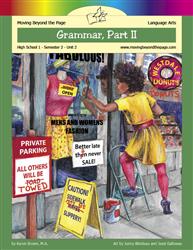
Unit 2: Grammar, Part II
Lesson 5
Hyphens and Apostrophes
Students are instructed to use word-processing features (hyphenation settings) and keyboard shortcuts to produce correct punctuation (e.g., Ctrl+-; option+-; Alt+0150) when preparing text. Students are directed to complete an online hyphens quiz (GrammarBook.com Hyphens (Advanced Level) Quiz 1) and view the explained answers on the website. The apostrophe activity frames editing an online influencer's post, asking students to mark up punctuation errors in a digital-post context.
Lesson 6
Word Choice
Students are instructed to visit specific web links (GrammarBook.com quiz; OWL Purdue pages; UNC Writing Center) to take a quiz and read articles. The lesson repeatedly tells students to read online material and to take notes in their journals based on those web resources. Students are asked to check online quiz answers and use web-based content for review and practice.
Lesson 7
Verb Voice and Mood
Students are directed to complete an online exercise and to consult web links (OWL Purdue, Carson-Newman, Grammarly) as part of their work, showing use of the Internet for research and practice. For the subjunctive-mood project, students are given options that explicitly include creating a short slideshow presentation, drawing a comic strip or creating one online, and other creative formats that involve using technology to produce a product. Students are asked to finish and submit the subjunctive mood project for homework, implying production of a completed artifact.
Final Project
Wrapping Up
The Parent Plan explicitly lists the CCSS-like skill to "Use technology, including the Internet, to produce, publish, and update individual or shared writing products." The Slideshow, Poster, and Explanatory Guide choices direct students to use PowerPoint or online tools, and the slideshow option specifically allows adding audio, video, and animations to communicate ideas. Students are asked to provide URLs for any online work and are pointed to online resource lists for slideshow and poster creation, indicating production and publishing via the Internet.

Unit 3: Informational Texts
Lesson 3
The Matthew Effect
The lesson asks students to use a program like Excel or another computer/online tool to create a bar graph, pie chart, or pictograph (Activity 1, Option 1). Activity 1, Option 2 also allows students to "use an online tool" to sketch or design a graphic that represents study findings. The instructions explicitly let students choose digital tools to produce visual representations of the book's data.
Lesson 4
The 10,000 Hour Rule
Students are given the option to communicate their homework visually using digital formats such as a PowerPoint slide, an infographic, or other online tools. The lesson includes a resource list with a URL to online tools that students could use to create their graphic, indicating access to Internet-based production tools.
Lesson 6
The Ethnic Theory of Plane Crashes
The lesson includes multiple web links that require students to use the Internet to read and analyze online texts (the Ask a Korean blog post and Gladwell's online response). It explicitly offers that students may use an online comic-strip creation tool to create drawings for the "Appropriate Speech" activity. Students are instructed to print or take notes from online material and to complete an analysis chart based on Gladwell's online response.
Lesson 7
Rice Paddies and Math Tests
Students are asked to produce a diagram or infographic and are given the option to use slideshow software, poster-creation tools, or online diagramming tools to create it. The homework explicitly encourages embedding audio files and online pictures and directs students to a provided online resource list and specific web links. The skills list also asks students to make strategic use of digital media (textual, graphical, audio, visual, and interactive elements) in presentations.
Lesson 9
Writing about History
Students are asked to read multiple web-linked primary and secondary sources (National Geographic, NPS, Arapaho Project) on the Internet as part of research activities. In Option 1, students are explicitly allowed to use and manipulate pictures from the Internet or use online graphics/poster-creation tools to produce a split-perspective magazine cover. The Parent Plan notes students may use online tools to create the cover, indicating at least some use of technology to create a student product.
Lesson 11
Technical Writing
Students are instructed to copy text from a provided web page into a word processing program and apply formatting, showing use of the Internet and digital word-processing tools to produce a document. Students are directed to find supporting information online for their introduction, record source URLs in a Works Cited, and to use online diagram-creation tools or images found online for their infographic. Students are asked to type their how-to guide and insert digital infographics into the document, demonstrating digital production and inclusion of web-sourced materials.
Lesson 12
Logical Fallacies
Students watch four short videos via provided YouTube links and complete the "Common Fallacies" activity while using those online resources. Students are explicitly directed to "look these two fallacies up online" and record their meanings on an activity page, showing use of the Internet for research. Students are given the option to "type it on the computer" when drafting their short speech, indicating at least some production of writing using technology.
Final Project
Argumentative Research Essay
Students are instructed to type and save their essays on a computer and to use online slideshow tools (PowerPoint, Google Slides, Prezi) to create presentations. They are directed to use library research databases and search engines, bookmark pages, record URLs, and paste citation information from databases or use an online citation builder. Students are told to insert images or charts into slides, include the source URLs beneath visual aids, and submit their essay and slideshow electronically via email or Google Drive.

Unit 4: Drama
Final Project
Drama
Students are asked to create a news webpage that includes a masthead, multiple articles, and images and are directed to online website-creation resources, which requires producing a web-based product. Students are instructed to produce a podcast using online podcast tools and to record/play recorded or online mini-projects (podcast, commercial, news webpage, song) for an audience. The lesson also directs students to create playlists on services like Spotify/Apple Music, use online comic/storyboard tools, and optionally design sets using computer tools; the skills list explicitly names making strategic use of digital media in presentations.
Semester Exam
Semester Exam
Students are directed to use the online version of the curriculum (links to Unit Review Sheets) and are told they may print those review sheets for easier reference. The text notes students may answer discussion questions "on a separate sheet of paper or on the computer," and it invites students to revise previous writing assignments or projects (for example, the essay from Informational Texts). The lesson also refers to posters/images/presentations that students created during the unit, implying prior use of digital presentation work.